


Mega Drum: Drum Set Game
4.9447.00 Reviews
App Specs
- Version
- 4.9.4
- Updated On
- License
- Free
- Downloads
- 1,000,000+
- Developer
- Oliveira Labs
- Categories
- Music
- Platform
- Android
Screenshots
 Analysis by AppCompare
I like Mega Drum: Drum Set Game best as a quick, low-pressure way to tap out rhythms, not as a substitute for sitting behind a real kit. It turns a phone screen into a compact drumming surface, making it easy to experiment with beats or play along with music without needing equipment or a quiet practice room. That convenience is the appeal, though the touchscreen is also the main limitation: it can offer a taste of drumming, but it cannot reproduce the feel or control of physical drums.
That distinction matters when deciding whether it suits you. If you want an accessible music game for short sessions, or a playful way to explore basic rhythm, I can see the attraction. If you need realistic technique practice, precise timing feedback, or a serious instrument-learning tool, I would look for something designed specifically for those goals instead.
Getting Started with Mega Drum
Alright, let’s dive into the app. The first thing you’ll notice when you fire up Mega Drum: Drum Set Game is the simple yet engaging interface. The app is designed to be intuitive, which means you won't be fumbling around trying to figure out how to start jamming. It’s pretty much plug and play, or should I say, tap and play?
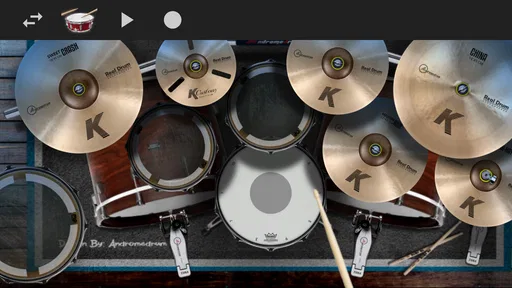
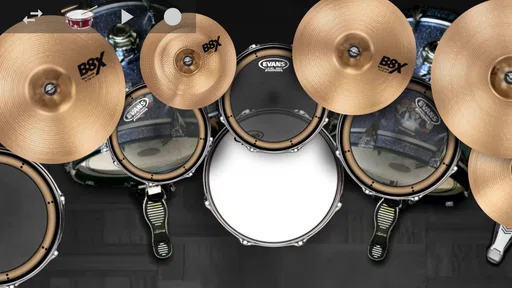
Once you're in, you’re greeted with a virtual drum kit setup. The graphics are slick, and it all feels incredibly responsive. You can tap away on the snare, bass, cymbals, and toms, and it’s all surprisingly realistic. The sound quality is top-notch, giving you that authentic drumming experience. Whether you’re a seasoned drummer or a total newbie, you’ll find yourself getting lost in the rhythm.
What the Tap-to-Play Format Does Well
A phone-based kit has a different rhythm to using actual sticks: you make contact directly with the screen, so I find it more natural to start with a simple pulse than to chase complicated fills. Try alternating a steady beat with one small cymbal or tom change, then build from there. That gives your hands time to learn where the on-screen pieces sit and helps you judge whether the tapping feels comfortable on your particular device.
There is also a practical choice to make about how you hold the phone. Holding it in both hands makes the kit easy to carry around, but it can make quick movement between screen areas awkward. Setting the device on a stable surface frees your fingers to tap more broadly, although the screen angle and reach may take a little adjustment. I would try both setups before deciding which one works for a longer session.
For casual play, the touch layout is part of the fun: you can pick up the device and make a beat without setting up a physical instrument. For deliberate practice, though, small screen targets and finger movement are not the same as stick control, rebound, or coordinated foot technique. I’d treat any improvement here as progress with timing and pattern ideas, not proof that you are developing the mechanics of acoustic drumming.
Worth Reading Before You Choose

EA SPORTS FC Mobile 26 Is a Bigger Football Game, but It Takes Time

Flipboard Shows What News Apps Must Do Beyond the Feed

Switching to Android Auto Means Rethinking Your Driving Routine

Google Calendar Makes a Crowded Week Easier to Manage

Ludo King Makes the Most of the Minutes Between Plans

Baby Panda World Brings Quick Play to Modern Phones, but Its Game Library Feels Busy
Features That Rock
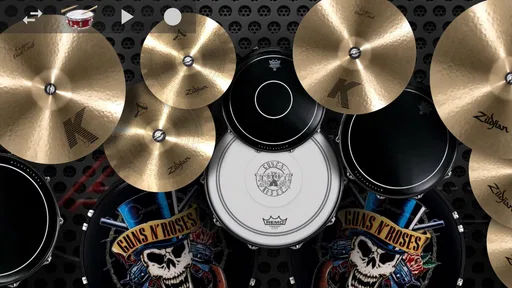
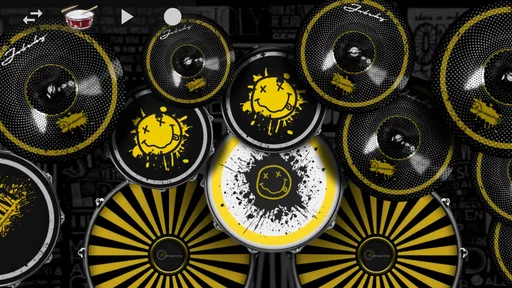
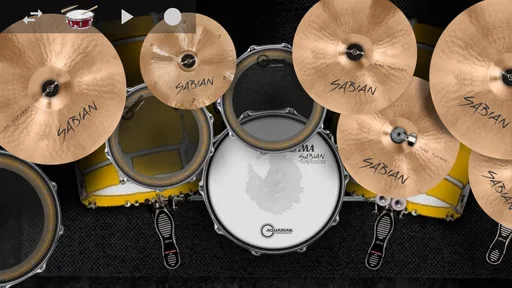
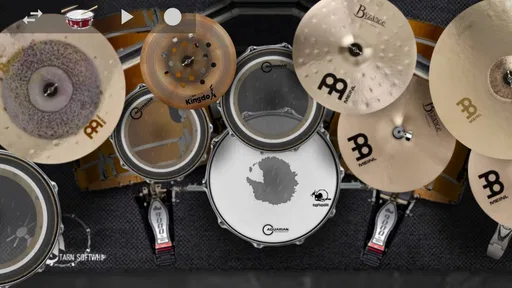
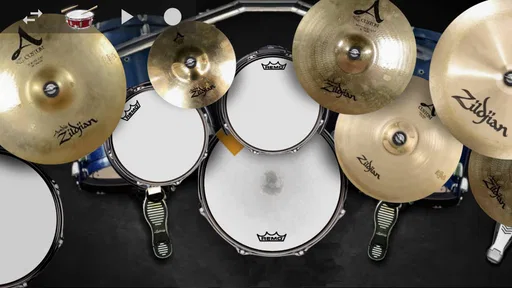
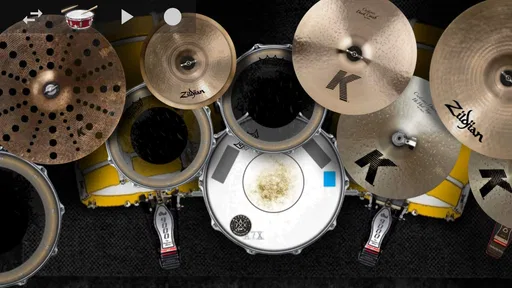
Now, let’s talk features. What really makes this app stand out is its variety of drum kits. You can switch up your setup depending on your mood or the style you’re going for. From classic rock to jazz, and even electronic beats, there’s something for every genre lover.
Another cool feature is the recording option. You can lay down your beats and play them back to see how you’re progressing. This is a fantastic tool for those who are serious about honing their drumming skills. Plus, you can share your creations with friends or even challenge them to a drum-off. How cool is that?
Recording is most useful when you give yourself a small, clear test. I’d make one short pattern, listen back, and focus on a single question: does the pulse stay steady, or do the accents wander? That is more actionable than tapping away for a long time and judging the result only by whether it felt exciting. If you are trying to remember an idea for a song, a quick recording can also serve as a rough sketch rather than a polished performance.
The included tracks make the game feel different from a bare drum-pad app. Instead of inventing every beat from scratch, you can respond to a musical context, which is helpful if you are still learning how a rhythm sits alongside other instruments. A useful approach is to listen to a track once before tapping, then choose one repeating pulse to follow. On a second pass, try adding only a few accents. This keeps the exercise manageable and makes it easier to notice when you are rushing.
Playing to music is not automatically the same as a guided lesson. A track can make a session engaging, but it may not explain why a beat works or tell you precisely what to correct. That is why I’d use the songs for timing and entertainment, and turn to a structured drumming course or an actual teacher when I wanted step-by-step technique instruction.
The game is also described as playable offline, which makes it a handy option for a commute, a waiting room, or a trip where connectivity is unreliable. I’d still prepare the app and choose what I want to play before heading out, rather than assuming every part of the experience will behave the same way without a connection. The practical advantage is simple: the basic idea of tapping along does not have to depend on being online.
Why You'll Love It
One of the reasons I’m absolutely hooked on Mega Drum is the sheer fun of it. Seriously, it’s addictive. There’s something incredibly satisfying about nailing a beat, and the app does a great job of rewarding you with points and badges to keep you motivated.
The app’s community feature is also a nice touch. You can connect with other drummers around the world, share tips, and even collaborate on tracks. It’s a great way to meet like-minded people and maybe even form a virtual band.
For an everyday example, imagine having ten spare minutes before meeting a friend. You can open the game, try a familiar pulse against one of its tracks, and use a replay to see whether your timing stayed consistent. It is a more active way to fill a short break than scrolling, and you can stop as soon as you need to leave. At home, it can also be a quiet-enough alternative to practicing an acoustic kit when other people are nearby; headphones can help keep the sound to yourself, though they do not change the feel of tapping on glass.
That makes it particularly appealing to curious beginners, music fans who want a playful rhythm challenge, and experienced drummers looking for a lightweight way to sketch or pass the time. I would be more cautious about recommending it to someone who wants a full lesson path, an instrument with realistic response, or detailed assessment of technique. Those needs call for different tools, even if this game remains enjoyable alongside them.
Compared with a simple metronome, this gives you a more entertaining musical setting and room to try patterns, but a metronome is the better choice when your only goal is to hold a precise tempo. Compared with a rhythm game built around fixed prompts, a virtual kit gives you more freedom to choose what to tap, while the prompt-based alternative may offer clearer goals and a more guided challenge. A real electronic or acoustic kit wins for physical practice; this app wins on portability and ease of starting.
A Few Things to Keep in Mind
Now, no app is perfect, and Mega Drum is no exception. While it’s mostly smooth sailing, there are moments when the app lags, especially when you’re trying to go all-out rockstar mode. It doesn’t happen often, but when it does, it can be a bit of a buzzkill.
Fast, dense patterns are exactly where a touch-based instrument has the least room for error. If a response feels off, I’d slow the pattern down and test a few deliberate taps before deciding the problem is your timing or the app. A busy track, quick finger movement, and a small screen can all make a session feel less controlled than a simple beat. The game is most satisfying when I match my ambition to the surface: uncomplicated grooves tend to work better than trying to imitate an elaborate solo.
Also, while the free version of the app is fantastic, there are some features locked behind a paywall. If you really want to explore everything the app has to offer, you might consider shelling out for the premium version. But hey, if you’re serious about drumming, it could be worth the investment.
It is free to download, with in-app purchases ranging from about two to ten dollars per item. I’d spend time with the free experience before buying anything, especially if you are unsure how comfortable you’ll find the controls. Purchases make more sense if you already enjoy the core tapping and want to extend that particular kind of play; they are less compelling if what you really want is lessons, advanced recording tools, or a more faithful instrument simulation.
There is a distinction worth keeping in mind between a game’s motivational rewards and musical feedback. Points and badges can make repeated play enjoyable, but they are not the same as an expert telling you whether your sticking, posture, or dynamics are sound. I would use them as a nudge to keep playing, not as a measure of readiness to perform or a replacement for careful practice.
It is also worth being considerate about where and how you play. Although a phone kit avoids the volume and floor space of a full drum set, tapping a screen still makes physical noise, and playing with sound on may not suit every shared space. A short session with the audio turned down or headphones connected can be more considerate, while keeping the tapping itself gentle helps avoid turning a casual break into a nuisance for people close by.
Who Should Give It a Try
Oliveira Labs’ music game has earned a 4.9 average from around twelve thousand ratings, and it has passed a million installs. It is free, rated for everyone, and its current version is 4.9.4; the game first appeared on May 15, 2019. Those details make it easy to understand why it catches the eye, but the better reason to try it is the simple fit: you want a portable drum-playing diversion that can work offline, and you are comfortable with the limits of a touchscreen.
The age rating makes it suitable for a broad audience, but I would still think about the person using it. A younger player may enjoy tapping along and experimenting with sounds, while someone studying drums should treat it as a supplement rather than a curriculum. For a family member who is curious about rhythm but not ready for an instrument, it can be a friendly first step; for a student preparing for lessons, a teacher’s exercises and a real practice surface will be more useful.
If you are choosing between this and another music app, ask what you want from the next session. Choose this when you want hands-on freedom and quick play. Choose a metronome or lesson app when you want focused timing drills or instruction. Choose a dedicated rhythm game when you prefer defined targets, and a physical kit when touch, dynamics, and coordination matter. That simple check can prevent the common disappointment of expecting one small phone game to serve all of those purposes.
Wrapping It Up
So there you have it, my take on Mega Drum: Drum Set Game. If you’re looking for a fun, engaging way to get your drumming fix without annoying the neighbors, this app is definitely worth a download. It’s not just an app; it’s a full-on drumming experience that fits in your pocket.
Whether you’re killing time, honing your skills, or just rocking out for the fun of it, Mega Drum: Drum Set Game delivers in spades. So go ahead, give it a try, and let your inner drummer shine!
My recommendation is to approach it as a pocket-sized music game first and a practice aid second. Start with an easy beat, try a track, and record a brief pattern if you want something to review. If that feels enjoyable, the free entry point makes it easy to keep exploring. If you find yourself wishing for physical rebound, detailed teaching, or more dependable control during fast passages, that is a useful sign to move to a different tool rather than expecting this one to become a full drum kit.
Pros
- Realistic drum sounds and feel
- Customizable drum kits for creativity
- User-friendly interface for all ages
- Variety of genres to keep it fresh
- Offline mode for uninterrupted play
Cons
- Limited tutorial for beginners
- Ads can be intrusive at times
- In-app purchases for full features
- Occasional lag on older devices
- No multiplayer or social sharing
FAQs for Mega Drum: Drum Set Game
What are the main features of Mega Drum: Drum Set Game?
Mega Drum offers a realistic drumming experience with a variety of drum kits and percussion instruments. It features high-quality sound, multiple playing modes, and customizable settings. Users can also play along with their favorite songs or create their own tracks. The app supports both beginner and advanced players, making it versatile for all skill levels.
Is Mega Drum suitable for beginners?
Yes, Mega Drum is designed to accommodate players of all skill levels. Beginners will appreciate the intuitive interface and easy-to-follow tutorials that help them learn basic drumming techniques. The app also includes practice modes and guided exercises to improve timing and rhythm, making it an excellent starting point for new drummers.
Does Mega Drum require an internet connection?
Mega Drum can be used offline for most features, including playing and practicing with different drum kits. However, an internet connection may be required for downloading additional content, accessing online tutorials, and sharing your creations with the community. Always check for updates to ensure you have the latest features and improvements.
Can I connect Mega Drum to external devices?
Yes, Mega Drum supports connectivity with external devices. You can connect your smartphone or tablet to external speakers or headphones for enhanced sound quality. Additionally, the app supports MIDI connectivity, allowing users to integrate their digital drum kits and controllers for a more immersive drumming experience.
Is Mega Drum free to use, or are there in-app purchases?
Mega Drum is free to download and offers a range of features at no cost. However, there are optional in-app purchases available for users who wish to unlock additional drum kits, advanced tutorials, and premium content. These purchases enhance the app’s functionality and provide a more comprehensive drumming experience.


